After the Treblo Export: Build a Repair Log You Can Repeat
Stop rebuilding the same cleanup chain from memory. Log what you heard, what you changed, and whether the song improved at the same loudness.
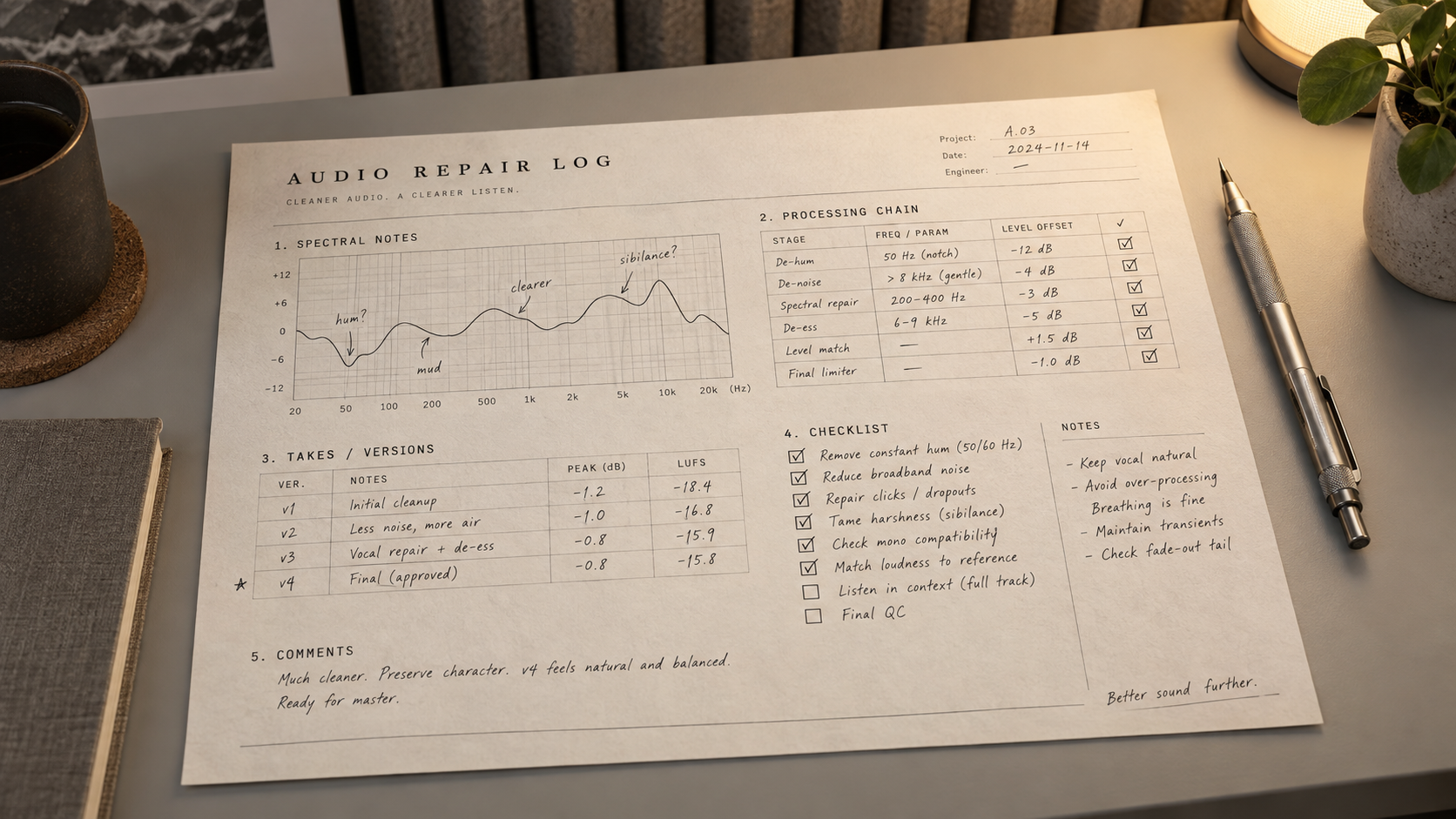
One Treblo export may feel forward in the upper mids. Another may have a thin low end, a phasey tail, or no obvious problem at all. A repair log keeps those observations attached to the file, so the next move comes from evidence instead of platform folklore.
Treblo is the current name for Sonauto. In its official renaming announcement, the team says accounts, songs, and shared links stayed in place while the product and domain changed. That continuity is useful, but it does not prove that old and new generations share one fixed acoustic fingerprint. Model versions, prompts, arrangements, and export formats can all change what reaches your DAW.
The log does not automate listening. It makes listening repeatable. If the dominant fault is still unclear, run the audio triage starting guide first. You want one named symptom before one processor—not five processors searching for a problem.
01 / Observe before processing
Treblo’s Acoustic Fingerprint: What to Listen For
Begin with three short loops: the densest chorus, a sparse verse or intro, and the final decay. Lower playback level before making a tonal judgment. At a quieter level, an overly forward vocal edge may remain obvious while a bass problem caused mostly by loud monitoring becomes less persuasive.
For upper-mid discomfort, sweep only to locate the irritation; do not leave a boosted search band active. Note the timestamp and a range such as “vocal edge near 2.6 kHz” only after you hear it return on more than one phrase. That number describes this file, not Treblo as a platform. Try a narrow dynamic reduction, then return to the full mix. Stop if consonants lose definition or guitars move behind the vocal.
For low-end weakness, check a spectrum analyzer, a mono fold-down, headphones, and one small speaker. A quiet fundamental is not automatically a truncated export. The arrangement may contain a bass sound with more upper harmonics than sub energy, or the kick and bass may cancel when combined. Boosting an empty band adds gain but not missing musical information. If you test harmonic synthesis, treat it as newly generated bass and check the groove and limiter response.
Also inspect the file itself. Treblo’s current developer documentation lists OGG, MP3, WAV, FLAC, and M4A as output options, with variable-bitrate Opus in OGG as the API default. Measure the file you downloaded: record its actual container, sample rate, bit depth where applicable, and peak level. Prefer a lossless WAV or FLAC source when available, but never convert a lossy file to WAV and call the lost data restored.
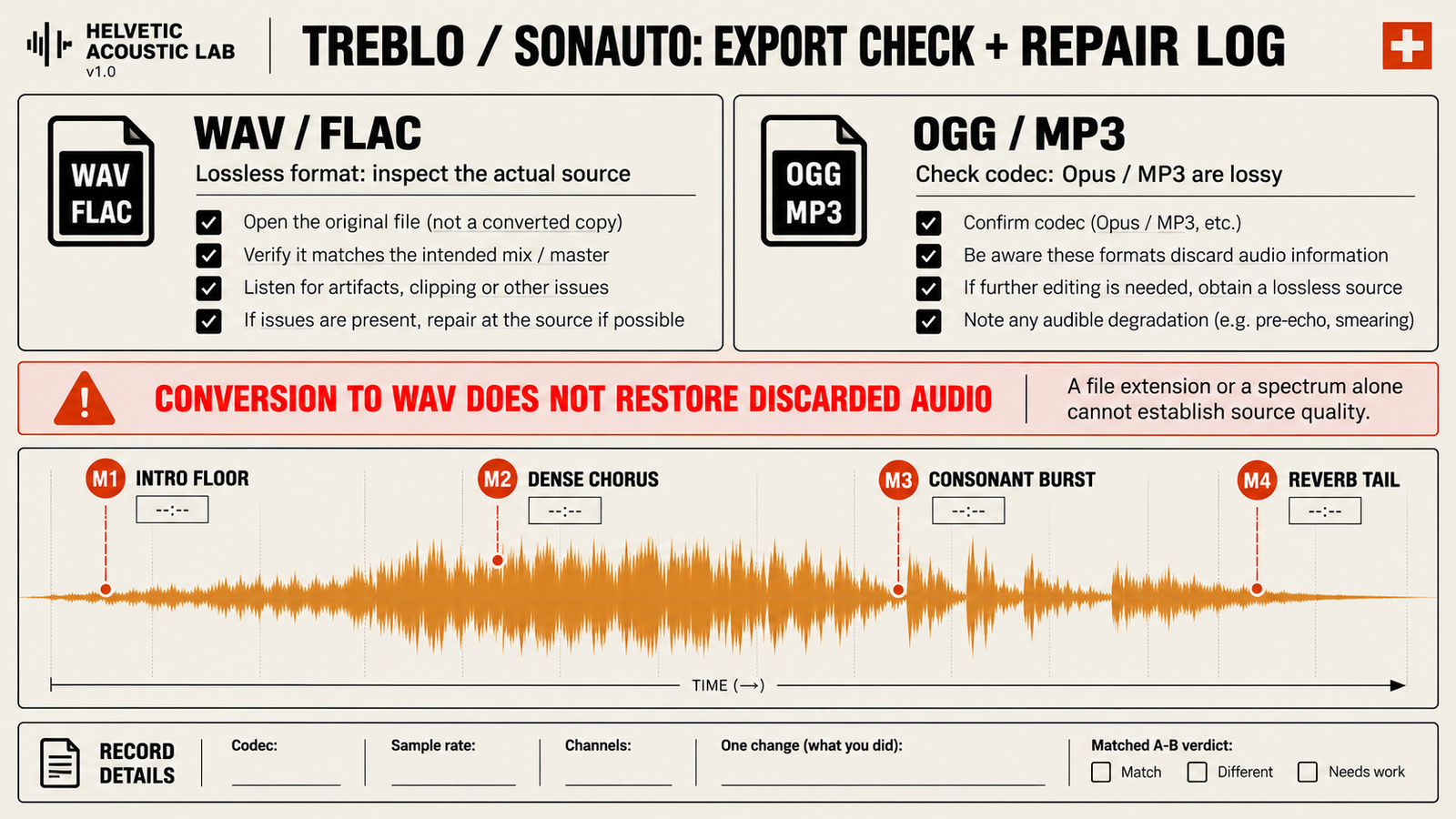
Fingerprint rule
A frequency, level, or stereo issue belongs in the log only after you can point to a timestamp and hear it return. The platform name is not a diagnosis.
02 / Write the decision down
The Printable 1-Page Track Repair Log
Print this table, copy it into session notes, or recreate it in a spreadsheet. One page is enough when every field helps you reproduce a decision. Keep descriptions audible and plain: “vocal bites on long E vowels” is more useful than “bad AI mids.”
| Log field | What to record | Example entry |
|---|---|---|
| Track ID / Seed | Generation ID, prompt label, download date, source filename | TR-8842 · neo-soul-chill · 2026-09-20 |
| Audio Export Spec | Container, codec, sample rate, bit depth if reported | WAV · 44.1 kHz · 16-bit |
| Clip Gain Offset | Measured input peak and reversible gain change | -0.4 dBTP in · clip gain -3.0 dB |
| Resonance Note | Timestamp, audible symptom, search range, dynamic move | 01:08 · vocal edge · -2.0 dB @ 2.6 kHz |
| Low-End Decision | Mono behavior, kick/bass relationship, chosen action | Stable in mono · no sub synthesis |
| A/B Status | Matched-level verdict and damage check | Pass · clearer lyric · attack unchanged |
Add one line for the listening chain: interface, headphones or speakers, and approximate monitoring level. You do not need a laboratory calibration to benefit from consistency. You do need to know whether yesterday’s bright headphone check and today’s quiet speaker check are being treated as the same evidence.
The status should use a small vocabulary: pass, revise, reject, or regenerate. “Pass” means the named symptom improved without the listed side effect. “Reject” means bypass sounded better. “Regenerate” means the problem is musical information—broken timing, words, melody, or structure—that processing cannot responsibly reconstruct.
03 / One change at a time
From Raw Treblo Export to a Clean Archive
1. Preserve the raw export
Copy the downloaded file into a track folder and make it read-only if your workflow allows. Keep its original filename in the log even if you create a friendlier session name. Import a duplicate for processing, align the two versions sample-for-sample, and route them through the same output path.
2. Establish level and listening markers
Measure peak and integrated loudness for reference, then use clip gain to create working room if the file is close to full scale. This does not repair clipping. Mark the three loops, add a fourth marker for any click or unstable lyric, and write the dominant problem in one sentence.
3. Make and log one reversible move
Start the processor bypassed. Enter its purpose before its settings: “reduce the edge on the chorus vocal,” not “use EQ.” Apply the smallest useful change, match output level, and compare. If a second processor becomes necessary, create a second row. A chain with no written reason is just a pile of future confusion.
4. Compare blind enough to be honest
Use the Suno export repair plan as an order-of-operations reference even though the source here is Treblo: preserve, diagnose, correct, then add character only when needed. Follow the blind level-matched audio comparison protocol and record the same passage’s raw and repaired loudness. Hide version names or ask someone else to switch them. Louder is persuasive. That does not make it cleaner.
5. Archive the evidence
Save the untouched source, repair log, DAW session, used preset, and approved render together. Include a version number and format in the output name. Before final loudness work, run the pre-mastering source gate; a cleanup pass is not automatically a master-ready file.
04 / Reuse without assuming
Build a Starting Preset, Not a Verdict
After several logs show the same move passing, save a DAW preset with every stage disabled or set conservatively. Name it by function and date, such as Treblo-start-check-2026-09, rather than “Treblo perfect master.” Add notes that say which sections to audition and what damage ends the test.
On a new export, load the preset and bypass every module. Enable one stage only when its logged symptom is audible. Move the frequency or threshold when the new file points somewhere else. Delete stages that do nothing. A reusable preset should shorten setup and recall; it should never overrule the song in front of you.
Review the preset after a model update, a change in download format, or three consecutive rejects. Keep older versions with the logs that used them. That way, a changed result becomes traceable instead of mysterious—and your repair chain remains a hypothesis that earns its place each time.
05 / FAQ
Frequently Asked Questions
Why did Sonauto change its name to Treblo?
Treblo says it renamed Sonauto because the old name was difficult to pronounce and no longer fit the product. The account, existing songs, shared links, team, and mission remained in place; old links redirect to the Treblo domain.
Does Treblo offer uncompressed audio downloads?
Treblo currently lists OGG, MP3, WAV, FLAC, and M4A among its output formats. WAV and FLAC are lossless formats, while MP3, M4A, and the default variable-bitrate Opus-in-OGG option are lossy. Record the exact format you received instead of assuming every download has the same specification.
Can a subharmonic synthesizer restore missing sub-bass?
It can generate new energy below the audible bass that is already present, but it cannot recover information that was removed or never existed. Test it quietly, level-match the result, and reject it if the kick becomes vague, the limiter works harder, or small speakers lose clarity.
Working with a drum break or pad loop? Follow cleaning up Stable Audio exports and loops for attack shaping, stereo-tail checks, and loop seam edits.
Your next move
Log the file before you fix the platform.
Open one raw Treblo export, write down its exact format, mark four listening points, and name the dominant symptom. Make one reversible move and compare it at matched loudness. The page you fill in is more valuable than a preset you cannot explain.
Copy the repair log