So you finally made that track. Hours in Suno, tweaking prompts until your brain melted. The result? Genuinely good. You're convinced this could sit comfortably between real artists on someone's playlist. You upload it to DistroKid, full of optimism, maybe even daydreams about royalties. Two days later: rejected. No explanation, just a cold algorithmic "no." You try TuneCore. Same story. Your masterpiece is apparently radioactive to every distributor on the planet.
In two words: Major platforms now scan for AI fingerprints in your audio files and auto-reject anything that pings their detectors. The key thing you need is an AI artifact remover tool that strips these digital footprints without wrecking your song. Budget-wise, expect around $10-30 per track for professional cleaning services. Take with you: your original WAV file exported at the highest quality setting your AI tool allows. Main tip: Never upload directly from the generator—always clean first, because one rejection can flag your account.
Why Your AI Music Is Getting Rejected
DistroKid didn't wake up one morning and decide to hate you personally. They're running scared of the tsunami. Thousands of AI tracks flooding in daily, most of them garbage, all trying to game the royalty system. So they installed detectors. Sophisticated ones. Same with Spotify, Apple Music, TuneCore—everyone's paranoid now about "authenticity."
The official line is about quality control and copyright protection, which sounds noble until you realize your track—the one you actually spent time crafting—gets lumped in with the spam. These systems don't care about artistic merit. They're scanning for specific digital signatures that scream "generated content." A particular shimmer in the high frequencies. Embedded watermarks you didn't even know were there. Metadata that tattles on your source.
It's not technically a ban on AI music. It's a ban on detectable AI music. That distinction matters, because it means the game isn't rigged against you—you just need to know the rules. Suno leaves traces. Udio leaves different traces. ElevenLabs has its own tells. The distributors know all of them now, and their algorithms are getting better every month.
What Exactly Are AI Music Artifacts?
Think of artifacts as the digital equivalent of leaving your fingerprints all over a crime scene. Except the crime is... making music with a robot? The terminology sounds technical, but the concept is simple: your AI generator left evidence in the audio file that it was manufactured, not recorded.
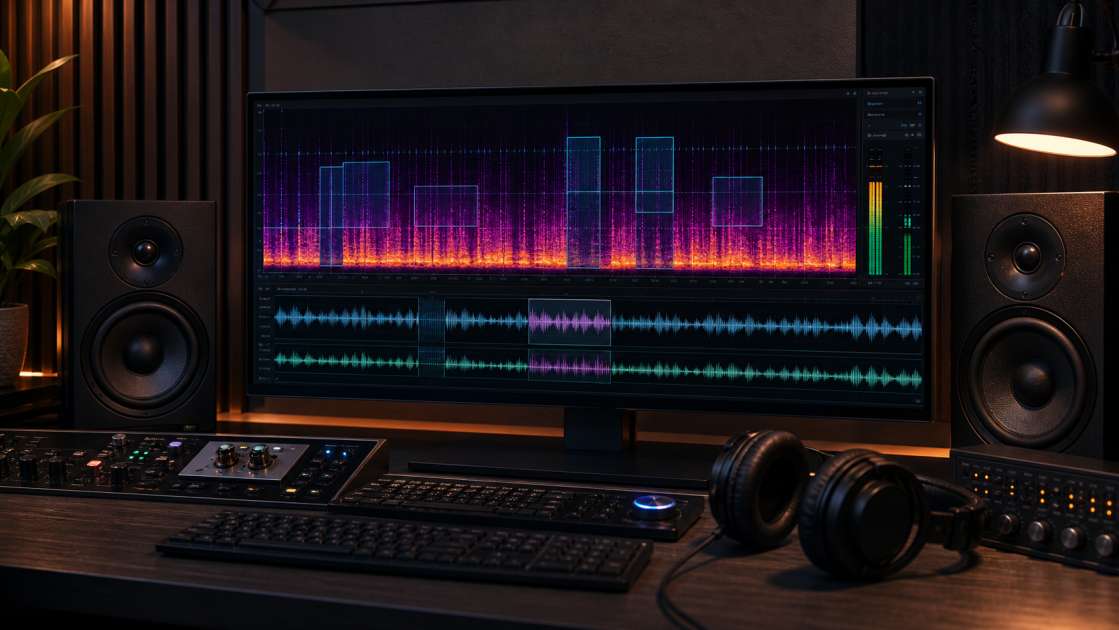
Spectral fingerprints are the big one. When you look at professional studio recordings through an analyzer, the frequency distribution follows certain organic patterns—tiny irregularities, natural resonances, the physics of actual instruments vibrating in actual rooms. AI-generated audio has patterns that are subtly wrong. Too smooth in some places, weirdly repetitive in others. The algorithms that create music don't perfectly understand acoustic physics yet, so they leave mathematical signatures that analysis tools can spot.
Then there's SynthID watermarks—actual invisible data stamps that some AI tools embed in the audio stream to mark their territory. You can't hear them. Your listeners can't hear them. But detection software sees them immediately, like invisible ink under UV light. Google's behind this particular technology, and it's spreading.
C2PA manifests are even sneakier. This is metadata—information about where your file came from—baked into the file structure itself. It's the digital equivalent of a product label that says "Made in AI Factory." Distributors scan for this before your track even hits their audio analysis stage.
But the artifact most people actually notice is the shimmer. Suno users know it intimately—that weird, high-pitched fuzz that sits on top of everything like sonic dust. Sometimes people call them "birdies" because they chirp. It's particularly bad in the 8-12 kHz range, and once you hear it, you can't unhear it. Your drunk friend at 3am might not notice, but Spotify's algorithm definitely will.
The loudness characteristics are subtler but just as damaging. Professional mastering engineers work to very specific loudness targets, with dynamics that breathe in particular ways. AI tracks often have this flat, uniform volume profile that looks wrong on paper even if it sounds okay. It's like a too-perfect signature that reveals it's a forgery.
The Solution: How AI Artifact Removers Work
Someone, somewhere, finally built the tool everyone needed: an artifact remover. Not a general audio editor. Not a noise reduction plugin you'd use for cleaning up podcast recordings. A specialized scanner that knows exactly what AI fingerprints look like and surgically removes them.
The goal isn't to make your track sound better—though that often happens as a side effect. The goal is to make it invisible to detection systems while keeping the actual music intact. Your melody, your arrangement, your vibe—all of that stays. The digital tattoos that say "I'm from a robot" get erased.
Here's what happens under the hood: You upload your file. The engine scans through every frequency band, every millisecond of audio, every piece of metadata. It has a database of known AI patterns—the Suno shimmer signature, the Udio frequency quirks, the specific watermark structures different tools use. When it finds a match, it removes or masks that element. Sometimes by filtering, sometimes by replacing sections with acoustically similar but organically random data, sometimes by rewriting the file structure entirely.
This is wildly different from opening your track in Audacity and fumbling around with EQ. Those tools aren't trained on AI artifacts specifically. They don't know what they're looking for. An artifact remover is like the difference between trying to remove a virus with a hammer versus using actual antivirus software. Specialized tools for specialized problems.
Deep Dive: Undetectr - The Leading Artifact Removal Tool
Undetectr is currently the only fully automatic artifact removal engine purpose-built for music. Not "one of the options"—literally the first and only dedicated solution at this level. That's according to their own documentation, but I haven't found anyone else claiming to do the exact same thing at this scale, so the claim seems to hold up.
What makes it different is the automation. You don't need to understand audio engineering. You don't adjust parameters or guess at settings. You upload a file, it processes, you download the cleaned version. Done. The engine knows what it's hunting for: those spectral fingerprints, the SynthID watermarks, the C2PA manifests, the shimmer, the loudness tells. It strips all of it in one pass.
They claim a 98% success rate for getting tracks accepted by distributors—TuneCore, DistroKid, Spotify, Apple Music, Amazon Music, YouTube Music, all the majors. That's verified data, apparently, not marketing fluff. Which means roughly one in fifty tracks still gets flagged even after cleaning. Not perfect, but considerably better than the zero percent success rate of uploading raw AI output.
The thing I appreciate is that it doesn't destroy your track to save it. Some cleaning processes leave your audio sounding flat and lifeless—all the artifacts gone but also all the energy. Undetectr supposedly preserves the "musical character intact." I'd want to A/B test that claim myself, but enough users report acceptable quality that it's probably not snake oil.
It also handles mastering as part of the process. After removing artifacts, it adjusts your track to hit the loudness targets that streaming platforms expect—the LUFS standards that make sure your song doesn't sound weirdly quiet next to professional releases. That's a nice bonus, since loudness issues are another common reason tracks get rejected or sound amateur.
Works with Suno, Udio, ElevenLabs, and most other popular AI generators. The engine is trained on their specific artifact signatures, which is why it can target them so precisely without needing your input.
How to Clean Your AI Music: A 3-Step Guide
The actual process is absurdly simple, which is the entire point. These tools are built for musicians, not audio forensics experts.
Step 1: Upload Your Track. You drag your music file into the uploader. Usually they want WAV format for maximum quality, but most tools accept MP3 if that's all you have. The file size limit is typically around 50MB, which covers basically any normal-length song at high quality. No account creation, no complicated forms—just drop the file.
Step 2: Process the Audio. This is where you wait while the AI engine tears your track apart and rebuilds it. The analysis phase identifies all the known artifact patterns—frequency anomalies, embedded watermarks, metadata flags. Then the removal phase strips them out using whatever proprietary methods the tool uses. This usually takes a few minutes depending on track length. You're not doing anything during this step. The machine is doing the work.
Step 3: Download Your Clean File. You get back a studio-quality WAV file with all the artifacts removed. Better tools show you a before-and-after comparison score—an AI detection probability percentage that proves the cleaning actually worked. Before: 94% AI detected. After: 8% AI detected. That kind of thing. It's satisfying data, and more importantly, it's verification that you're not just wasting money on digital placebo.
Some tools, like ArtefactFX, also offer an AI Checker feature separate from the cleaning service. You can upload any track just to scan it—see how likely it is to get flagged, what the predicted source is (Suno vs Udio vs whatever), and which specific components are triggering detection. That's useful for diagnosing problems before you commit to paying for cleaning.
Alternatives and DIY Methods: What Else Can You Try?
Not everyone wants to pay for a service, so naturally people have tried building their own solutions or repurposing existing tools. Results are mixed at best.
TheApeMachine/deshimmer is a command-line tool specifically designed to suppress the high-frequency shimmer artifact from Suno tracks. It's free, it's open-source, and for that one specific problem, it works reasonably well. But that's all it does—shimmer reduction. It won't touch watermarks, it won't fix spectral fingerprints, it won't clean metadata. If shimmer is your only issue, fine. But if you're trying to pass distributor checks, you need more.
iZotope RX (sometimes called Audiorx in some contexts) is professional audio repair software used in studios worldwide. It has noise reduction, declicker, spectral repair—tools for fixing damaged recordings. People have tried using it on AI tracks. The problem is it's designed for removing unwanted noise, not removing AI signatures embedded in the fundamental structure of the audio. Users report that it can make tracks sound flat and lifeless because it's attacking background elements that are actually part of the music. It's using a hammer when you need a scalpel.
Soothe2 or Unchirp are resonance suppressors—they target harsh, ringing frequencies. They're great for controlling sibilance or taming overly bright recordings. But they're not artifact removers in any meaningful sense. They might smooth out some harshness, but they absolutely will not remove hidden watermarks or fool detection algorithms that are scanning for deeper structural tells.
The DIY route can make your track sound slightly better to human ears, but it's unlikely to make it pass automated distributor checks. The detection systems aren't listening like humans do—they're analyzing data patterns that subtle EQ adjustments won't touch.
Frequently Asked Questions (FAQ)
Is using an artifact remover legal or allowed? Yes. You're editing a file you have the rights to. It's no different ethically than mastering a recording or applying EQ. You're not stealing someone else's work—you're processing your own generated content to meet distribution standards. No distributor's terms of service forbid post-processing your tracks.
Will cleaning my track degrade the audio quality? Professional tools like Undetectr are explicitly designed to preserve musical quality while removing only the digital artifacts. That said, any processing introduces some change. The question is whether that change is audible and whether it's worse than the alternative of not being able to distribute at all. Most users report quality remains acceptable.
Which AI music generators does this work for? The major tools are optimized for Suno, Udio, and ElevenLabs because those are the most popular platforms and have well-documented artifact signatures. But the cleaning engines generally work on any AI-generated audio, since the underlying issues—spectral fingerprints, unnatural loudness curves—are common across different generation methods.
Why can't I just use a graphic equalizer to remove the shimmer? You can try, and it might help the shimmer specifically. But EQ is a blunt instrument that affects your entire mix. More importantly, EQ does absolutely nothing to remove digital watermarks, metadata flags, or spectral fingerprints that exist in the file structure rather than in the audible frequency content. Distributors scan for more than just weird sounds.
What happens if my track is still rejected after cleaning? Reputable services often offer support to diagnose the problem or, in some cases, refunds if the cleaning demonstrably failed. But with 98% success rates, rejection after professional cleaning is rare. If it happens, it might be an issue with your distributor account itself or some other non-artifact problem with the file.
Do I need to be a sound engineer to use these tools? No. The entire selling point of automatic artifact removers is that they require zero technical knowledge. Upload file, wait, download cleaned file. If you can operate a basic website file uploader, you can use these tools. That's the whole design philosophy.