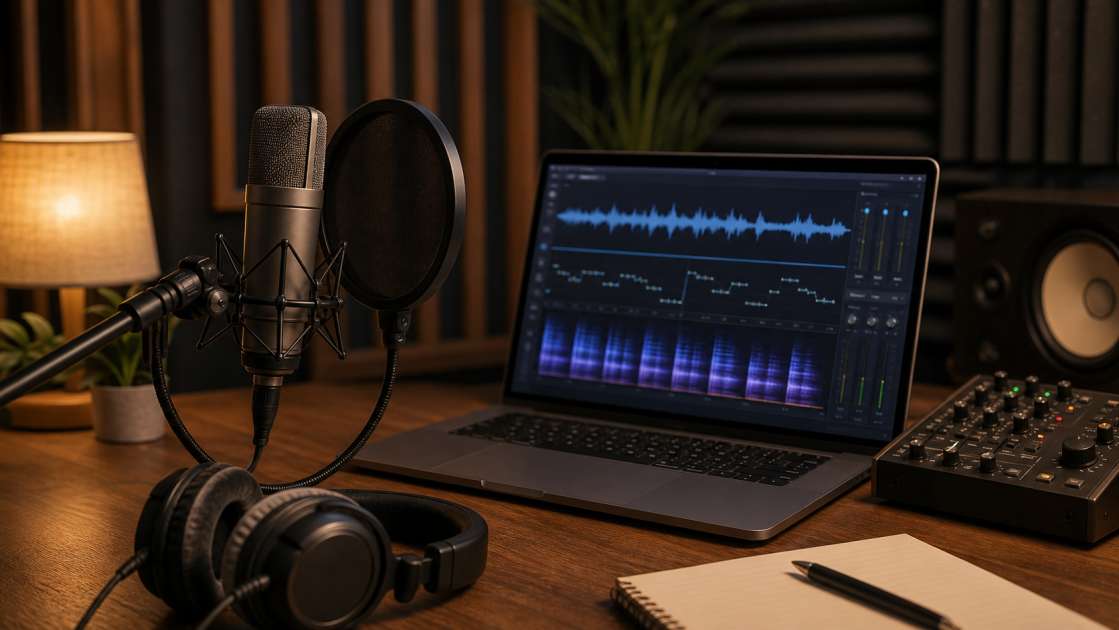
Suno AI is borderline magic when it drops a full track in seconds, complete with melody, arrangement, and vocals that actually follow your prompt. I've been messing with it for months now, and honestly, the speed is addictive. But here's the thing that gnaws at you after the initial dopamine hit wears off: those vocals. They're technically correct, hitting the right notes at the right time, but there's something... off. Like listening to a talented singer performing through a thick pane of glass. Technically proficient, emotionally vacant. That uncanny valley feeling where your brain knows something's not quite right, even if you can't immediately pinpoint why.
Вкратце: Suno vocals sound robotic because AI misses human nuances like breath and natural imperfections. The fix involves a five-stage cleanup process in your DAW: adding recorded breath samples at -20 to -24 dB between phrases, aggressive de-essing at 4-7 dB in the 5-8 kHz range, selective consonant boosting by 2-4 dB on key words, and optionally layering your own voice 12-18 dB below the AI track with a low-pass filter at 5 kHz. Bring a decent microphone for recording breath samples, and expect to spend an hour per song on cleanup. These techniques transform sterile AI output into something that actually connects with listeners, though you'll need a DAW and basic mixing plugins to pull it off.
Why Suno Vocals Can Sound Unnatural (And How to Fix It)
The core issue is that Suno, like any AI model trained on thousands of vocal performances, has learned the what of singing but not the why. It knows a note should be here, a word should be emphasized there, but it completely misses the messy, biological reality of an actual human standing in front of a microphone. Real singers gasp for air. They produce saliva. Their pitch wobbles slightly when they're reaching for emotion. Their 'S' sounds vary in harshness depending on whether they're angry or tender. Suno gives you none of that.
I started noticing specific giveaways after my fifth or sixth generated track. First, the complete absence of breathing—like the singer is some kind of immortal being with infinite lung capacity. Second, this weird metallic sheen on every sibilant sound, every 'S' and 'T' cutting through the mix like a serrated knife. Third, a pitch modulation that doesn't behave like natural vibrato; it's more like someone's gently shaking the entire vocal performance at random intervals. And fourth, this general sense of weightlessness, like the voice is hovering two inches above the instrumental instead of sitting in it.
What saved my sanity was discovering that this isn't an unsolvable problem. It's just a new problem. The concept of vocal cleanup has been around forever in production circles—fixing bad takes, smoothing out harsh frequencies, adding presence—but now we're applying it in reverse. Instead of removing artifacts from a human performance, we're adding human artifacts to a perfect digital one. I started treating my DAW as a humanization lab, and that shift in perspective changed everything. Each artificial-sounding element became a specific technical challenge with a specific technical solution.
Step 1: Add Realistic Breathing for a Human Touch
The first time I actually sat down and listened—I mean really listened—to a Suno vocal in isolation, the absence of breath was jarring. Phrases just bled into each other without any sense of physical effort or recovery. It's the kind of thing your conscious brain might not catch on first listen, but your subconscious absolutely does. That's why the track feels cold even when the melody is strong.
I grabbed my Audio-Technica AT2020, locked myself in the quietest room in my apartment (which, to be clear, is still not that quiet—I could hear my neighbor's TV through the wall), and spent an uncomfortable ten minutes just breathing into the mic like some kind of respiratory patient. Sharp inhales through the nose. Soft mouth exhales. Little tongue clicks. That slight gasp you make before a big chorus. I felt ridiculous, but I ended up with about 30 seconds of raw material that became my personal breath sample library.
Chopping that recording into individual samples was tedious but necessary. Each breath needed to be its own discrete audio file so I could drop them into the vocal track wherever they made sense. I'd play through the Suno vocal, pause at every natural phrase break, and ask myself: would a real person need to inhale here? Usually, the answer was yes. I'd grab a breath sample from my library—matching intensity to context, a sharp inhale before an aggressive verse, a softer one during a tender bridge—and drag it onto the track.
The volume level is critical. The first time I did this, I left the breath samples at their recorded level and it sounded like I'd mixed in Darth Vader. Too obvious, too distracting. I learned to keep them between -20 and -24 dB—present enough that your brain registers them subconsciously, quiet enough that they don't become the focus. And those short fades at the start and end of each sample? Non-negotiable. Without them, you get these little digital clicks that immediately blow the illusion. Three milliseconds of fade-in, three milliseconds of fade-out. That's the recipe.
Step 2: Tame Harshness and Sibilance with De-Essing
If the lack of breathing is what makes Suno vocals feel dead, the excessive sibilance is what makes them feel aggressive. I've had tracks where the 'S' sounds were so sharp and metallic that I actually winced. It's like the AI learned that consonants should cut through a mix but never learned the concept of restraint. Every fricative becomes a tiny ice pick stabbing your eardrums.
A de-esser is basically a frequency-specific compressor that hunts down those harsh high-frequency sounds and pulls them back. I've used FabFilter Pro-DS for years because it's visual and precise, but honestly, even the stock de-esser in Logic or Ableton will do the job. The plugin sits on the vocal track, monitoring the frequency spectrum, and whenever it detects a spike in the problem range, it ducks the volume by however many decibels you've told it to.
For female Suno vocals, I'm typically targeting somewhere between 6 and 8 kHz. That's where the harshness lives. For male vocals, I drop it slightly to 5 to 7 kHz. But here's the key difference between de-essing a human and de-essing an AI: you need to be way more aggressive. A human singer might need 2-3 dB of reduction. Suno vocals? I'm routinely hitting them with 4 to 7 dB of reduction and it still sounds natural because there was so much harshness to begin with. It's like the AI version of sibilance is sibilance on steroids.
I also started throwing Oeksound Soothe2 onto the chain after the de-esser for an extra layer of smoothness. Soothe2 is this brilliant plugin that acts like a surgical EQ, constantly scanning for resonant frequencies that stick out and gently pulling them back. It catches the stuff the de-esser misses—the 3 kHz nasal honk, the 4.5 kHz boxiness. Between the two plugins, I can usually tame even the most metallic Suno vocal into something that sits politely in the mix instead of dominating it.
Step 3: Boost Articulation by Enhancing Consonants
This step felt counterintuitive at first. I'd just spent time reducing harsh consonants, and now I was being told to boost them? But the logic is sound once you understand the distinction. De-essing removes the frequencies that make consonants painful. Consonant boosting adds volume to make them clear and punchy. Two different problems, two different solutions.
The technique involves zooming way in on your vocal waveform in the DAW until you can see individual words. I'm talking forensic-level zooming, where each syllable is spread across your screen. Then you hunt for the initial consonant of important words—the 'B' in "Baby", the 'L' in "Love", the 'S' in "Stay"—and you manually increase their gain using either clip gain or volume automation. I prefer clip gain because it's faster and doesn't clutter my automation lanes.
The boost itself is tiny: 2 to 4 dB. That's it. But the perceptual difference is massive. Suddenly, the lyrics snap into focus. Words that were mushy and indistinct become crisp and intentional. It creates the illusion of a deliberate performance, like the singer is actively choosing to emphasize certain words for emotional impact. Which, of course, they aren't—because there is no singer—but your brain fills in that narrative anyway.
The critical mistake beginners make is boosting every consonant. I tried that exactly once and the result sounded robotic in a completely different way, like a Text-to-Speech system from 2005. The trick is selectivity. You're looking for moments of lyrical emphasis—the climax of the chorus, the emotional turn in the verse, the callback in the bridge. Maybe five or six words per song get this treatment. That restraint is what sells the technique.
Step 4: The Ultimate Trick: Layering a Real Voice (Dubbing)
This is the nuclear option. The technique that elevates a track from "pretty good for AI" to "wait, is this actually AI?" It's also the most labor-intensive, which is probably why most people skip it. But if you care about the final 10% of quality—the difference between a cool demo and something you'd actually release—this is where you earn it.
The concept is called voice dubbing or creating a body layer, and it's deceptively simple: you record yourself (or someone else) singing the exact same melody as the Suno vocal, then you hide that real voice underneath the AI vocal at a much lower volume. The Suno vocal provides the clarity, the pitch accuracy, the lyrics. The human voice provides the warmth, the body, the subconscious authenticity. You're not replacing the AI; you're augmenting it.
I recorded my first body layer on a Sunday afternoon after three cups of coffee, which in retrospect was a terrible idea because I was jittery and my pitch was all over the place. But here's the beautiful part: it didn't matter. The take was rough and imperfect, but once I pitch-corrected it with Melodyne and time-aligned it to the Suno vocal, it blended seamlessly. I mixed it at about 15 dB below the main vocal—quiet enough that you'd never consciously hear it as a separate element, loud enough that it added this tangible sense of physical presence.
The EQ treatment is what makes this technique work. I threw a low-pass filter on the real voice around 5 kHz, cutting out all the high-end sparkle and intelligibility. What remained was just low-mid body—chest resonance, throat warmth, all the frequencies that make a voice feel three-dimensional. The Suno vocal handled everything above 5 kHz, giving you clarity and air. The real voice handled everything below, giving you weight and humanity. Together, they created this composite that neither could achieve alone.
Pitch correction and time alignment are non-negotiable for this to work. Even small discrepancies in timing or pitch will cause phase issues and a chorused, floaty sound. I use Auto-Tune in Graph Mode for pitch because it's surgical, and I manually nudge audio regions in the timeline for timing alignment. It's tedious, no question. But the first time you mute that body layer and hear how thin and lifeless the vocal suddenly sounds, you understand why professionals do this on actual human vocals too. Layering isn't cheating; it's engineering.
Bonus Tips: Advanced Fixes and Smart Prompting
Even after you've added breath, tamed harshness, boosted consonants, and layered a real voice, there are still a few edge cases that can sink a track. The most common one I've encountered is what I call "the wobble"—that unnatural pitch modulation that sounds like someone's applying vibrato with a paint roller. It's too wide, too constant, and it never settles into the natural ebb and flow of human expression.
Fixing wobbly modulation requires a pitch editor like Melodyne or the built-in Flex Pitch in Logic. I'll open the problematic section, flatten the pitch variation completely to zero, and then manually redraw the vibrato. The key insight is that natural vibrato appears primarily at the end of sustained notes, not throughout them. I'll leave the first 60% of a long note completely flat, then introduce a subtle, narrow vibrato only in the final 40%. The width and speed of that vibrato should be barely noticeable—just enough to suggest human imperfection without drawing attention to itself.
Adding warmth with harmonics is another subtle layer. I've started using light saturation or compression to inject some harmonic richness into Suno vocals that feel too clean. I'll compress peaks by about 4 to 6 dB using a compressor with a colored tone—something like an 1176 emulation—which adds pleasant distortion artifacts that mimic the natural overtones of a human voice resonating in a chest cavity. It's a small touch, but it's the accumulation of these small touches that builds believability.
On the front end, before you even start mixing, your prompt matters more than most people realize. I've gotten significantly better results from Suno by front-loading my prompts with performance descriptors. Instead of just specifying genre and mood, I'll add phrases like "passionate vocal delivery" or "emotional performance with dynamic range" or "natural pitch modulation and vocal oscillation." Does the AI actually understand these terms? I have no idea. But empirically, I get less robotic output when I use them.
There are also weird prompt hacks that sometimes work. Using ALL CAPS on specific words in your lyrics can signal to Suno that those words should receive emphasis. Using brackets to [stretch a word out] can create more dramatic, sustained deliveries. And Suno's "Remove Effects" feature can strip out excessive reverb or delay that sometimes muddies the vocal, though I've noticed it can also remove desirable weight from the sound, so I use it sparingly. Prompting is still more art than science in 2026, but paying attention to these details gives you better raw material to work with.
Essential Tools and Plugins for Your Suno Cleanup Workflow
You can't do any of this without a proper Digital Audio Workstation. I've been using Ableton Live for years because I like the workflow, but Logic Pro, FL Studio, and Reaper all have the necessary tools. The DAW is your canvas, your mixing console, your editing suite. It's where the transformation happens. If you're trying to humanize Suno vocals without a DAW—just using online tools or mobile apps—you're fighting with one hand tied behind your back.
For de-essing, I keep coming back to FabFilter Pro-DS because the visual feedback makes it easy to see exactly what frequencies you're targeting and by how much. But I'll be honest: the stock de-esser in most DAWs is perfectly functional. Logic's de-esser gets the job done. So does Ableton's. If you're just starting out and don't want to drop money on plugins yet, use what you have. The technique matters more than the tool.
Pitch and time correction are where you might need to invest. Antares Auto-Tune and Celemony Melodyne are the industry standards for a reason—they're powerful, precise, and non-destructive. Auto-Tune is faster for real-time correction; Melodyne is better for surgical, note-by-note editing. If you're doing the voice dubbing technique, you absolutely need one of these. The built-in pitch editors in some DAWs (like Flex Pitch in Logic) can work in a pinch, but they're not as transparent or flexible.
EQ and compression are foundational, and here I genuinely believe stock plugins are sufficient for 90% of use cases. You need a parametric EQ to apply that low-pass filter on your body layer or to carve out problem frequencies. You need a compressor to add harmonics or glue layers together. The FabFilter versions are beautiful and intuitive, sure, but they're not going to make your Suno vocal sound dramatically more human than a well-used stock EQ and compressor. Save your money unless you're already deep into production.
On the Suno side, don't sleep on their native tools. The Instrumental toggle is perfect for generating clean backing tracks when you want to isolate and practice on just the vocal. Their Audio Splitter (sometimes called the Acapella Extractor, depending on when they last renamed it) can pull vocals out of other generated songs, which is useful if you want to A/B test your cleanup techniques on different vocal styles. These tools are free if you're already paying for Suno, so use them.
Bringing Your AI-Generated Music to Life
I've spent more hours than I'd like to admit hunched over my laptop, nudging breath samples by milliseconds and redrawing pitch curves on sustained notes. It's tedious work. It's the opposite of the instant gratification that drew me to Suno in the first place. But somewhere in that tedium, I found something that actually resembles a craft. The AI gives you the skeleton—melody, structure, arrangement—and you add the flesh, the warmth, the imperfections that make it feel alive.
The five-stage process isn't a rigid formula. Some tracks need aggressive de-essing but minimal consonant boosting. Others benefit enormously from a body layer but sound fine without manual vibrato fixes. You develop intuition over time, learning to diagnose what's missing from each specific vocal and applying only the techniques that address that gap. I've had tracks where I only added breath and light de-essing and called it done. I've had others where I threw every trick in this guide at the problem and still felt unsatisfied.
What's changed for me is the relationship with the tool. I don't expect Suno to deliver finished, release-ready vocals anymore. I expect it to deliver interesting raw material that I can shape and refine through deliberate post-production. That shift in expectation eliminated most of my frustration. The AI is a collaborator that handles the parts I'm bad at—composition, arrangement, generating ideas quickly—and I handle the parts it's bad at, which is sounding convincingly human. It's a weird partnership, but it works.
The gap between artificial generation and authentic musical expression is narrowing, but it hasn't disappeared. Maybe it never will. Maybe that final 5% of human nuance will always require human intervention. But with these cleanup techniques, with patience and a willingness to get granular in your DAW, you can close that gap enough that listeners stop thinking about the technology and start connecting with the music. And that's the whole point, isn't it?