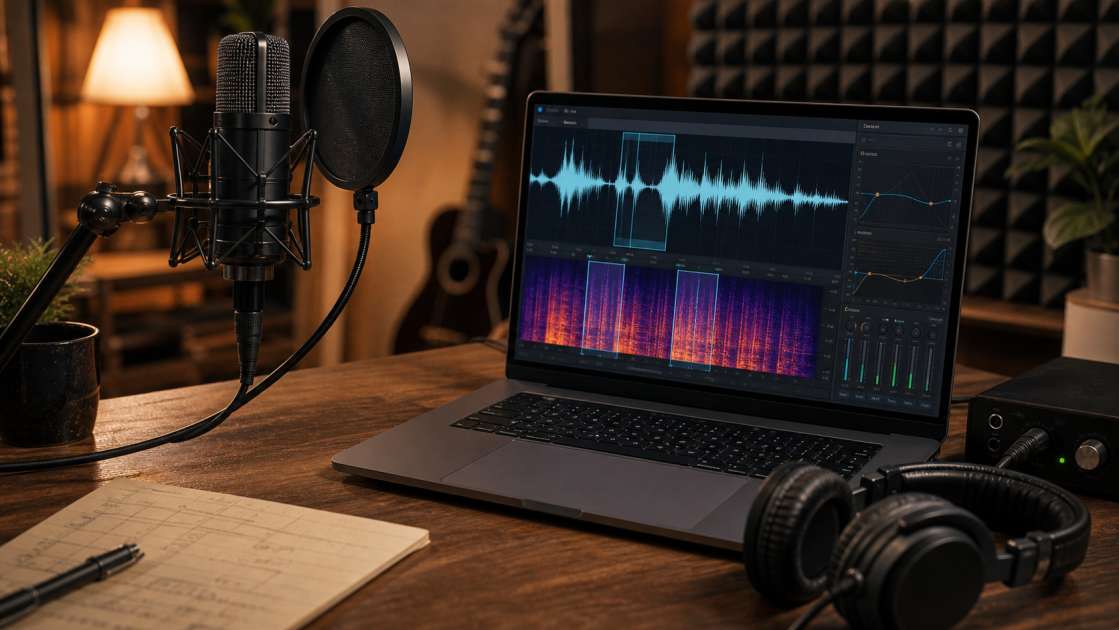
I spent three hours on a vocal take last week. Perfect performance, nailed the emotion, hit every note. Then I played it back and heard my neighbor's lawnmower grinding through the entire second verse like some kind of mechanical backing vocalist. The fan on my laptop was there too, humming its relentless harmony. That's when I stopped pretending my bedroom was a professional studio and admitted I needed help.
In two words: AI vocal cleaners can strip background noise from recordings in minutes, preserving the actual voice while killing everything else. The best ones like LALAL.AI or BTR handle fan hum, room echo, and mic artifacts without turning your vocals into a lifeless robot performance. Bring your raw audio file—don't compress or normalize it first. Budget varies, but free tiers exist for testing. Main tip: record 2-3 seconds of pure room silence before you start singing or talking, so the AI knows exactly what noise it's supposed to murder.
What Is an AI Vocal Cleaner and How Does It Work?
An AI Vocal Cleaner is software that uses artificial intelligence to identify your voice in a recording and then systematically removes everything that isn't your voice. Background hum, traffic noise, the buzz of cheap electrical wiring in your walls—all of it gets isolated and eliminated, theoretically leaving just the clean vocal track.
The AI part means these tools have been fed thousands of hours of audio during their training phase. They learned to distinguish between human vocal patterns—the specific frequencies and timbres of speech and singing—and literally everything else that shows up in a recording. When you upload your file, the algorithm analyzes the entire waveform, isolates the vocal frequencies, and creates a new version with the unwanted sounds cancelled out or removed.
The technology behind this involves neural speech enhancement and machine learning algorithms that aim for what the marketing materials call "crystal clear voice." The goal is AI-powered noise cancellation that doesn't make you sound like you're talking through a tin can at the bottom of a swimming pool. Whether they actually achieve that goal varies wildly depending on which tool you use and how realistic your expectations are.
What Kinds of Noise Can an AI Cleaner Remove?
I've thrown some genuinely terrible recordings at these tools, just to see what they can handle. Here's what they claim to fix, and what I've actually seen them fix.
Background noise is the obvious one. Fan noise from your computer or air conditioner, the distant rumble of traffic outside your window, that persistent electronic hiss that seems to come from nowhere—these are the bread and butter problems. Most AI cleaners handle this stuff competently, though the fan noise in my home office proved stubborn enough that I still hear a faint ghost of it on aggressive vocal passages.
Room acoustics are next. If you recorded in a large room with hard walls, you probably captured a bunch of unwanted echo and reverb. Your voice bounces around the space and arrives at the microphone multiple times, creating that hollow, bathroom-tile sound. AI tools can reduce this, though they can't perform miracles if you recorded in an actual echo chamber.
Microphone artifacts are more technical. Mic rumble is low-frequency junk caused by vibrations traveling through your mic stand or desk. Vocal plosives are those sharp puffs of air that hit the microphone when you say words starting with P or B. I've had mixed results here—the plosive reduction sometimes works, sometimes just makes the word sound weirdly muffled.
Unwanted music removal is a feature I didn't expect to need until I did. If you're a streamer and there's copyrighted background music in your recorded video, some of these tools can strip it out so you don't get hit with a copyright claim. The results are uneven—sometimes it works cleanly, sometimes your voice gets weird phase artifacts where the music used to be.
Speech artifacts are the niche specialty of tools like Altered AI. They target mouth clicks, those wet noises your mouth makes between words, voice fillers like "um" and "ah," and long stretches of silence. I'm skeptical about AI deciding which parts of my speech are unnecessary, but I can see the appeal for podcast editors who are tired of manually cutting out every hesitation.
The Best AI Vocal Cleaners: A Detailed Review
I tested the most popular tools with the same contaminated vocal recording—a singing take with laptop fan noise, mild room echo, and one particularly offensive plosive on the word "probably." Here's what I found.
LALAL.AI is the one everyone mentions first, probably because it works fast and doesn't require you to understand audio engineering. You upload a file, it processes in a couple of minutes, and you download the result. The interface has a Noise Canceling Level slider that controls how aggressively it strips background sound—higher settings remove more noise but can make the voice sound thin and artificial. There's also a De-Echo option buried in the settings. The pricing structure has three tiers: a free Starter plan with 10 minutes of processing for testing quality, a Lite plan at roughly nine dollars monthly, and a Pro plan at eighteen dollars monthly. It handles MP3, WAV, MP4, and a bunch of other formats. My test vocal came out cleaner but slightly duller in the high frequencies, like someone put a blanket over the microphone. Acceptable for most uses, but not invisible processing.
Altered AI positions itself as the dialogue specialist. It focuses on spoken word—podcasts, voiceovers, interviews—and includes features specifically for removing speech artifacts, voice fillers, and long pauses. If you say "um" forty times in a recording, this tool will find and remove them automatically. It also claims to optimize pacing by cutting dead air. I'm wary of any AI that edits my timing without asking, but I can see the efficiency appeal for people who produce a lot of content. The noise removal itself worked well on my test file, though I noticed some weird digital flutter on sustained vowel sounds.
BTR's AI Vocal Cleaner takes a different approach that sounds good on paper. Instead of one-pass noise reduction, it uses what they call a visual-audio feedback loop and iterative refinement. The tool generates a spectrogram of your vocal, identifies problem areas like low-frequency rumble or high-frequency hiss, makes adjustments, checks the result, and repeats. The goal is to make the silent gaps between words "pitch-black" clean, which matters because platforms like Spotify normalize loudness and will amplify any garbage left in those gaps. Currently limited to five iterations while they gather feedback. My test vocal sounded noticeably better than the LALAL.AI version—the high end stayed intact, and the silences were genuinely silent. The processing took longer, but the tradeoff seemed worth it.
StemSplit is the free, no-frills option. It's an online tool that removes noise, hiss, hum, wind, and echo without requiring software installation or account creation. No settings to adjust, no parameters to tweak—you just upload and wait. The processing uses neural speech enhancement to separate voice from noise. My test file came back cleaner than the original but with less nuance than the paid tools. Fine for quick cleanup jobs or testing whether AI cleaning will help your specific problem before you spend money elsewhere.
AutoTune VocalPrep is designed for a specific workflow. It's a standalone application that runs behind your Digital Audio Workstation to prep vocals before you start mixing. The idea is to remove fan noise, room reflections, buzzing, and outside traffic so you're starting with a clean foundation. This is aimed at people who already have a professional mixing setup and want to streamline the cleanup phase. I didn't test this one extensively because I don't fit the target user profile, but the concept makes sense—fix problems early rather than trying to polish garbage later.
AI Vocal Cleaner vs. AI Vocal Remover: Don't Confuse Them
I've seen people try to use vocal removers to clean their microphone recordings, then wonder why the results sound insane. These are two completely different tools that happen to involve vocals and AI.
An AI Vocal Cleaner takes audio that is already mostly just vocals—a microphone recording of you singing or speaking—and removes unwanted noise from it. You're cleaning a vocal track that already exists. The input is a vocal plus noise; the output is a cleaner vocal.
An AI Vocal Remover, sometimes called a stem splitter, takes a complete finished song with vocals, drums, bass, guitars, everything, and separates those elements into isolated tracks. You use this to extract the acapella from a mixed song, creating a vocal-only version. Or you remove the vocals entirely to make a karaoke backing track. The input is a full mix; the output is separated stems.
Use a vocal cleaner for your podcast recording where you need to remove background hum. Use a vocal remover when you want to create a remix of an existing song and need the isolated vocal track. Mixing these up wastes your time and produces unusable results. I know this because I tried using a stem splitter on a noisy vocal recording once, and the algorithm just got confused and started inventing phantom instruments that didn't exist.
Pro Tips: How to Get the Best Results from Your AI Cleaner
The difference between a decent result and a genuinely clean vocal often comes down to how you prepare the file before uploading it. These aren't magic boxes—they work better when you give them what they need.
Recording a few seconds of room tone before you start performing is the single most helpful thing you can do. Just sit in silence for two or three seconds before you speak or sing. This gives the AI a clean sample of the exact noise profile it needs to remove from the rest of the recording. I started doing this after noticing that files with captured room tone consistently came back cleaner than files where I started talking immediately.
Don't pre-process your audio before uploading it. No compression, no normalization, no EQ adjustments. Upload the raw, unedited file straight from your recording session. Every processing step you add beforehand makes it harder for the AI to distinguish between voice and noise. I made this mistake early on—I normalized a vocal to make it louder, then ran it through a cleaner, and the algorithm started treating some of my actual voice as noise because the loudness processing had altered the waveform in confusing ways.
Understanding the limits saves frustration. AI vocal cleaners can reduce noise and remove background sounds, but they can't repair a fundamentally broken recording. If your audio is heavily distorted or clipped because you recorded at too high a level, no cleaner will restore the lost detail. You're removing noise, not reconstructing missing information. I tried cleaning a vocal that had clipped on every loud note, and while the background hiss disappeared, the vocal still sounded destroyed because the original signal was damaged beyond repair.
The gaps between words matter more than you think, especially if you're delivering to streaming platforms. Spotify and similar services use loudness normalization, which means they adjust the playback level to be consistent across different songs. This process can pull up the volume of quiet sections, including the supposedly silent gaps between your words. If there's noise hiding in those gaps, normalization will make it suddenly audible. This is why tools like BTR obsess over making the silence "pitch-black" clean—because it actually matters in the final listening experience.
Who Should Use an AI Song Cleaner? (Real-World Examples)
Musicians recording at home deal with computer fan noise constantly. Your laptop is sitting three feet from your microphone, its fan spinning at maximum speed because your Digital Audio Workstation is using all available processing power. That fan noise bleeds into every vocal take. An AI cleaner can strip out that mechanical hum, making your bedroom recording sound closer to something captured in a treated studio space. I've used this exact scenario multiple times, and while the result isn't identical to a professional studio, it's close enough that most listeners won't notice the difference.
Podcasters and YouTubers need clean dialogue more than anyone because human speech is less forgiving than music. Background noise that you might ignore in a song becomes genuinely distracting in spoken content. If your audience has to strain to hear your words over the hum of your refrigerator or the traffic outside your window, they'll just leave. Running your podcast audio through a cleaner ensures the dialogue stays clear and easy to understand. The improvement in listener retention is probably measurable, though I don't have data to prove it.
Streamers face a specific legal problem—copyrighted background music in their recorded streams. If you were playing a game that includes licensed music, or if you had Spotify running in the background during your stream, that copyrighted audio is now part of your video archive. Some AI cleaners can remove that background music from your stream VODs, potentially saving you from copyright claims and channel strikes. The effectiveness varies depending on how loud the music was relative to your voice, but it's worth trying before you delete the entire video.
Journalists recording interviews in the field don't get to control their recording environment. You're in a cafe, on a street corner, in someone's cluttered living room with a window air conditioner rattling in the background. The interview content is valuable, but the audio quality is terrible. An AI cleaner can salvage these recordings, making the speech clear enough for transcription and publication. I've seen journalists transform unusable field recordings into perfectly acceptable audio just by running them through LALAL.AI.
Content creators working across multiple formats—social media, online courses, corporate presentations—need consistent audio quality without spending hours on manual editing. An AI vocal cleaner becomes a quick enhancement step in your production workflow. Upload the raw audio, download the cleaned version, move on to the next project. The time savings add up when you're producing multiple pieces of content every week.
Conclusion: The Future of Clean Audio is Already Here
Achieving professional-sounding vocals used to require expensive equipment, treated rooms, and technical expertise. Now it requires a web browser and a few minutes of processing time. AI vocal cleaners have compressed years of audio engineering knowledge into automated tools that actually work, most of the time, for most people.
The technology removes background noise, reduces echo, eliminates mic artifacts, and generally makes your recordings sound more professional without requiring you to understand what a noise gate is or how to set a de-esser threshold. The processing is fast, the cost is reasonable or free for basic use, and the results are good enough that the average listener won't notice you recorded in a bedroom instead of a studio.
The main benefits are obvious once you use these tools—saved time, improved audio quality, avoided technical frustration, and a more polished final product. Whether you're recording music, producing a podcast, streaming gameplay, or conducting interviews, cleaner audio makes your content more professional and easier to consume.
Most of these tools offer free trials or starter plans with limited minutes. LALAL.AI has a free Starter tier, StemSplit is completely free to use. Try one of them with your worst, noisiest recording and see what happens. You'll either be impressed by how much cleaner it sounds, or you'll discover that your specific audio problem needs a different solution. Either way, you'll know in five minutes instead of wondering forever.