An Audio Cleaner Audition: Five Tests Before You Pick a Tool
Replace the sponsored top-ten list with one repeatable session that measures what a cleaner removes—and what it takes from the music.
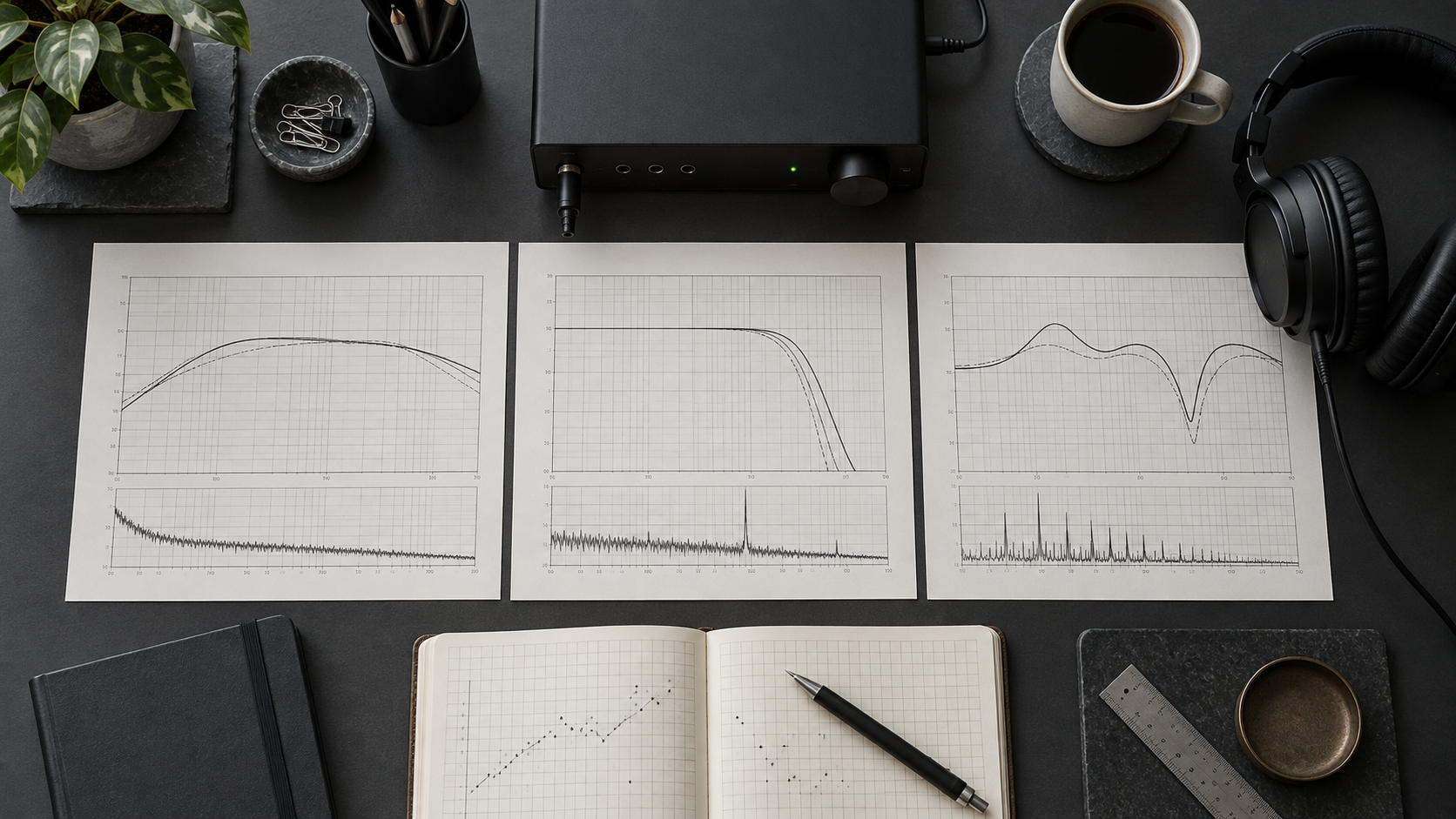
Search for the best AI music cleaner and you will meet ranked lists, star ratings, and promises that one button can finish any generated track. They rarely show the test passage, matched levels, or the musical detail lost with the defect.
Every cleaner makes a trade. It may reduce hiss while shortening a vocal decay, or soften a metallic edge while flattening the snare. Ask whether it removes your named problem with less collateral damage than the alternatives.
First name the fault. If you cannot decide whether you hear steady hiss, moving shimmer, low-mid masking, or a performance problem, run the audio triage fundamentals before comparing software. A cleaner cannot repair a wrong lyric, missing beat, or unstable melody. It can only reshape information that exists in the file.
Set Up a Fair Audition Bench
Log the Test Signal, Version, and Exact Settings
Choose the same 10-second WAV excerpt for every candidate: include the named artifact and enough surrounding music to hear damage. Record the source filename, exact in/out timestamps, sample rate, bit depth, and channels. If one passage cannot expose drums, a vocal decay, and stereo width, add separate 10-second loops and give every candidate the identical set.
Write down the exact software build and active module before processing. Record the threshold and maximum reduction when those controls exist; otherwise copy the actual control names, values, and units. A depth value is not automatically gain reduction in dB. Save the preset and note oversampling, wet/dry mix, routing, and any automatic gain or normalization.
| Protocol field | Record for every candidate |
|---|---|
| Test signal spec | Source file; 10-second in/out points; sample rate; bit depth; channels |
| Software version & module | Product; build; module; preset; routing; processing mode |
| Threshold / Max reduction | Exact values and units, or actual equivalent controls; unavailable controls marked not exposed |
| Matched LUFS | Raw and processed loudness on the identical loop; output trim; aim for a difference within about 0.2 LUFS |
| Delta / Difference verdict | Named artifact reduced; useful music heard in the residual; keep, revise, or reject |
Delta / Difference monitoring lets you hear what changed between dry and processed audio. The soothe2 manual documents its delta control and distinguishes depth from actual reduction in dB. Listen for useful drum attack, vowel character, and connected reverb tails in the residual; if those dominate, back off and judge the full mix again. A residual is not a restoration score.
Use a processor’s native delta monitor when available. For manual subtraction, compensate latency and align the dry and wet renders sample-for-sample at the same gain reference, before applying the separate loudness-match trim used for A/B. Otherwise timing or gain differences contaminate the residual. If alignment or hidden browser processing prevents a controlled subtraction, record that limit and rely on the matched listening checks; do not score a misleading null test.
01 / Score the trade
The 5-Test Audio Cleaner Audition Rubric
Prepare three lossless excerpts: a drum loop, a vocal decay, and a wide chorus with the symptom you want to reduce. Duplicate each source, disable normalization, and align every start point.
Score each test from 1 to 5: 1 fails, 3 needs revision, and 5 improves the target without a repeatable penalty. Write one timestamped observation per row before totaling anything. A bare number is an opinion wearing a lab coat.
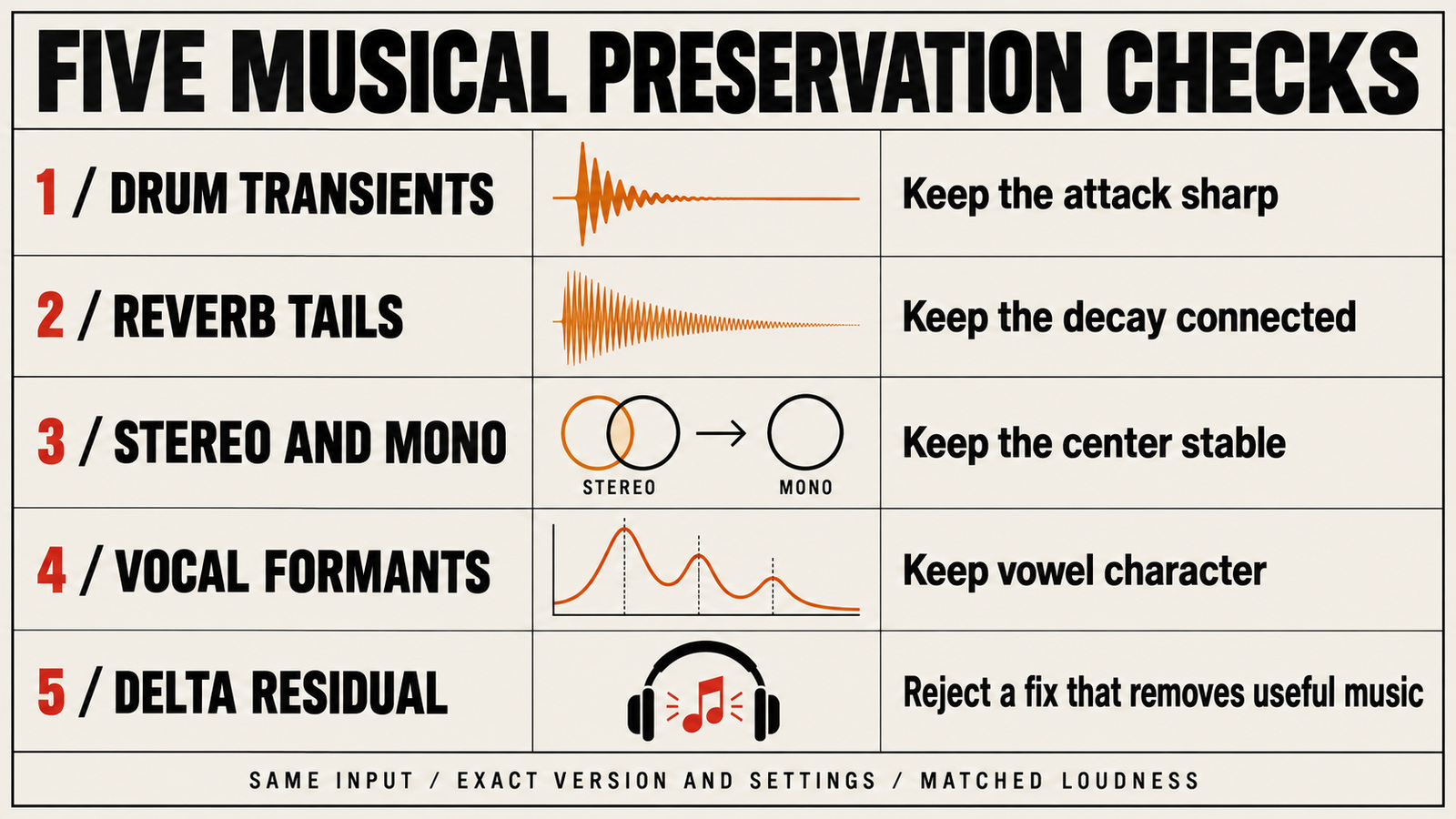
| Test | Material and method | Pass signal | Automatic fail |
|---|---|---|---|
| Test 1: Transient Impact | Loop exposed kick and snare hits; match output level | Artifact falls while the first edge stays sharp | Attack turns soft, papery, or late |
| Test 2: Reverb Tail Integrity | Use a vocal or instrument decay into near-silence | Tail remains smooth and connected | Decay chatters, pumps, or closes abruptly |
| Test 3: Phase & Stereo Stability | Switch a wide mix between stereo and mono | Center remains focused; sides do not wander | Image collapses, hollows out, or trembles |
| Test 4: Metallic-Shimmer Selectivity | Loop the moving upper-band defect and monitor the full mix | Ring recedes without a blanket high cut; vowel character stays intact | Cymbals, consonants, air, or natural vowel tone disappear together |
| Test 5: Workflow & Cost Realism | Repeat the repair, export, recall, and cancellation checks | Result is repeatable inside your real schedule | Hidden limits, unusable queue, poor export, or excessive friction |
Run a delta residual check after each musical test when the tool exposes it. Log whether the difference contains the intended defect or useful performance detail, then return to the full mix for the verdict. Keep workflow and cost as a separate practical decision; neither can compensate for musical damage.
How to score without fooling yourself
Use the fair A/B level-matched comparison for every candidate. Match the processed loop to roughly 0.2 LUFS, hide the names, and switch instantly. Judge artifact reduction, attack, tails, and image in separate passes.
Weight musical preservation above convenience. A 5 for speed cannot rescue a 2 for transient impact. Treat an automatic fail as a veto and keep the untouched export nearby; a dramatic interface does not earn points.
02 / Choose the right category
Tool Categories: What Actually Works for AI Audio
Different defects need different processors. These products illustrate control models, not winners. Official documentation defines the features; your scorecard decides whether they belong in the session.
Category A: Dynamic EQ and Resonance Suppression
A dynamic EQ lowers a band only when its threshold is crossed, making it useful for a metallic edge that appears on certain notes. Tokyo Dawn describes NOVA as a parallel dynamic equalizer. Oeksound describes soothe2 as a dynamic resonance suppressor.
Dynamic does not mean harmless. Excess depth can make cymbals breathe or pull presence from a vocal. Use delta monitoring when available; if the removed signal sounds like the performance rather than the defect, back off.
Category B: Broadband De-noise and Spectral Repair
Broadband de-noise targets a persistent noise floor; spectral editors add time-frequency selection for short events. The current iZotope RX feature documentation lists modules including Spectral De-noise, Spectral Repair, De-click, De-clip, and Repair Assistant. Breadth is useful only when the diagnosis is precise.
Stress-test denoising on quiet tails. Noise may drop while ambience turns watery or consonants become granular. Spectral repair is more selective for a short event but costs manual time. If the defect moves with the music, audition a dynamic resonator first.
Category C: One-Control Enhancers
An all-in-one enhancer may combine EQ, compression, saturation, width, and limiting behind a few controls. Setup is fast, but a louder, brighter, denser result can hide which stage reduced the defect or softened the groove.
Level-match immediately and repeat the mono test. Export the loop twice to check recall. If pumping tails or a weak center cannot be corrected, score that lack of control. Convenience earns points only after the musical tests pass.
03 / Build a fair session
How to Run the Audition in Your DAW for Free
Create one session at the source sample rate. Duplicate the untouched file for each candidate, route every version to one monitoring bus, and place a loudness meter last. Compensate latency before judging attacks; shifted samples can resemble tonal or stereo change.
Mark an eight-bar loop with a hard drum hit, exposed tail, and target artifact—or use three shorter loops. Start conservatively, freeze when needed, match the reference level, hide names, and switch with one key.
Run the tests at a comfortable level and quietly, checking stereo, mono, and headphones. Give every candidate the same revision allowance; later tools do not receive extra coaching.
Audition rule
Same source, same loop, same loudness, same monitoring path, same revision allowance. Change one candidate at a time and write the damage before calculating the winner for this track.
04 / Spend after the diagnosis
The Free Alternative: Doing It With Stock DAW Plugins
A stock chain reveals whether you need a specialist. Create headroom, add one dynamic EQ band only for a repeatable resonance, use gentle split-band control for short bursts, and automate isolated events when continuous processing causes more damage.
Keep saturation optional and last; it can bind textures but also blur attacks and add loudness. Match every stage and bypass anything that cannot win a blind pass. Stock moves are a free way to identify the control you need.
Follow the Suno repair chain for platform-specific order and the metallic shimmer diagnosis for moving upper-band problems. Buy only after the experiment exposes a named limitation such as selectivity, tail behavior, repair time, or recall.
05 / FAQ
Frequently Asked Questions
Is iZotope RX worth it for cleaning Suno and Udio tracks?
RX is a broad restoration suite with spectral editing, de-noise, de-click, de-clip, and other specialized modules. That range can be useful when a file has several distinct faults, but it does not make every module the right response to metallic shimmer or unstable stereo. Audition the exact module against a dynamic EQ or resonance suppressor, level-match the result, and buy only if its extra control solves a repeatable problem in your files.
Are online browser-based cleaners better than DAW plugins?
They are often faster to try, but better depends on the result and the workflow. A browser tool may hide threshold, timing, and spectral controls, while a DAW plugin lets you automate a difficult section and compare it against the source. Upload privacy, export format, queue time, and cancellation terms also belong in the score. Judge both with the same five tests rather than treating convenience as sound quality.
Can an audio cleaner remove copyright watermarks from AI music?
No. This audition is for audible defects such as hiss, clicks, unstable resonances, and damaged tails. It is not a method for removing ownership signals, bypassing detection, changing rights, or making a file acceptable to a distributor. Use audio cleanup only on material you are allowed to edit and keep rights questions separate from sound repair.
Working in BandLab? Use cleaning up BandLab AI and SongStarter tracks to check exports, loop balance, and built-in processing before mastering.
Working with a drum break or pad loop? Follow cleaning up Stable Audio exports and loops for attack shaping, stereo-tail checks, and loop seam edits.
To hear what changed between versions, use delta listening and null-test verification. Check timing, gain, and routing before treating the residual as lost musical detail.
Your next move
Make one tool earn one insert slot.
Choose the worst eight bars, duplicate the source, and run all five tests at matched loudness. Write down what disappears and what becomes smaller. Keep the cleaner that solves your actual defect with the least audible cost—even when that cleaner is a stock dynamic EQ and the correct purchase is no purchase at all.
Run the five tests